Spends
AUTOMATIC EXPENSE TRACKING
Reads the transaction messages your bank already sends you, categorises each one, and keeps a running picture of every account — because logging small spends by hand is exactly the chore nobody sustains.
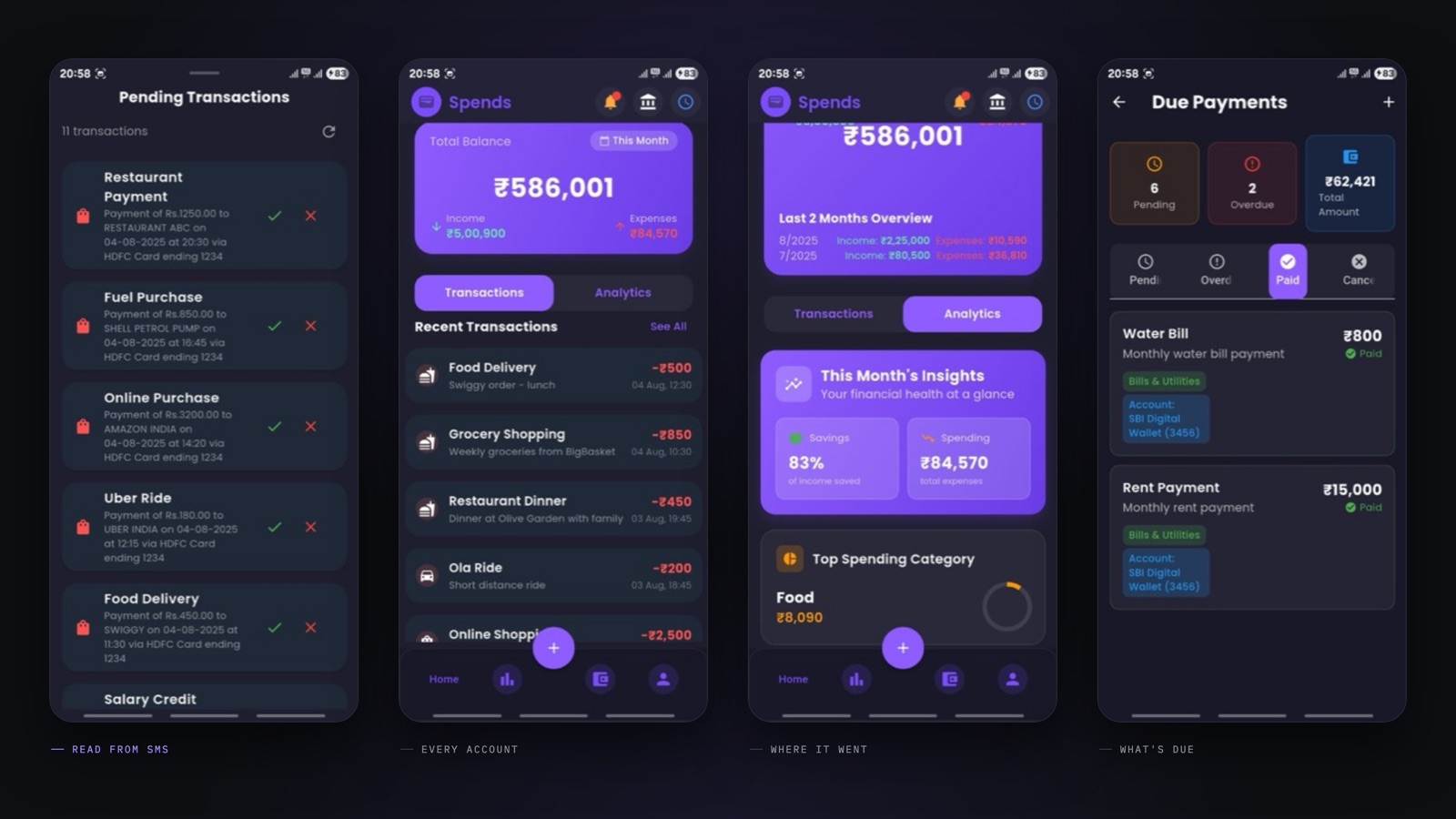
I built Spends because I could not keep track of microtransactions. Individually they are trivial; collectively they are most of where the money actually goes, and logging them by hand is a habit nobody keeps for more than a fortnight.
So the app does not ask you to log anything. It reads the transaction SMS your bank already sends, parses the amount, account and merchant out of formats that differ from bank to bank, sorts the result into categories — groceries, utilities, transfers — and keeps a running balance per account with the incoming and outgoing sides separated. What you get back is the overview you would never have assembled yourself.
For a finance app, storage is the design question. Everything lives in an AES-256 encrypted database on the device, behind a PIN or biometrics, with no server of mine holding any of it. The only backup path is an encrypted file to the user’s own Google Drive, and only when they ask for one.
It shipped to the App Store at 1.0 and is no longer listed there.
STACK, BY LAYER
- 01 PRODUCT Flutter app · budgets · spend analytics · PIN and biometric lock
- 02 SERVICE —
- 03 DATA AES-256 encrypted local database · per-account balances · encrypted Drive backup
- 04 MODELS Per-bank SMS parsing · automatic categorisation into spend categories
- 05 PROTOCOL —
- 06 FIRMWARE —
- 07 SILICON —